
 All vikis
Accessibility
007 First Light offers full button remapping with presets, hold toggles, automatic climbing and vaulting, customizable subtitles, menu narration, QTE autocomplete and photosensitivity options. It lacks chase assists and captions for guard alerts, and no source confirms colorblind modes.
007 First Light has a solid set of accessibility options: full button remapping with several presets, toggles in place of held buttons, automatic jumping, vaulting and climbing while running, subtitles with size, color, speaker name, background and direction options, menu narration, QTE autocomplete, and settings to reduce screen shake, blur and bright light effects, per Can I Play That? (Jun 9, 2026). The gaps are real, though: vehicle chases have no assists, guard alerts are not captioned, button prompts are hard to read, and fights depend on precisely timed parries. Its reviewer found the game hard to recommend to players with physical disabilities "unless, like me, they're hardcore Bond fans". We found no source mentioning colorblind modes, as of Nov 4, 2026.
Quick facts
| Remapping | Full, with presets |
| Subtitles | Size, colors, speaker names, background, directional indicators |
| Menu narration | Yes, English, with speed and volume |
| QTE autocomplete | Yes, but not every sequence |
| Photosensitivity | Reduce light effects; dark flashbang effect |
| Chase assists | None |
| Colorblind modes | Not mentioned by any source read |
| Xbox store count | 10 accessibility features |
Sources: Can I Play That?, Jun 9, 2026; GamingBolt, May 26, 2026; Xbox store, read Nov 4, 2026.
Every option the sources list
| Area | Options |
|---|---|
| Controls | Full button remapping with presets; toggle or hold for running, aiming and other actions; automatic jump, vault and climb while running; stick deadzones and sensitivity; camera inversion |
| Subtitles | Size, colors, speaker names, backgrounds, directional indicators |
| Visuals | Reduced screen shake; blur and distortion toggles; reduce light effects; a dark effect in place of the flashbang |
| Audio | Audio profiles; mono output; volume controls |
| Menus | English menu narration with speed and volume |
| Gameplay | QTE autocomplete; snap aim; hazards that glow while aiming; three difficulty presets plus 00; optional tutorials |
| Feedback | Vibration settings |
Sources: Can I Play That?, Jun 9, 2026; GamingBolt, May 26, 2026; IOI 1.1.0 notes (optional tutorials), Jul 24, 2026; LauraKBuzz's preview (snap aim, glowing hazards), Apr 30, 2026.
LauraKBuzz went through the settings menus of a near-final build a month before launch, menu by menu. The Gameplay menu has a "snap aim" option for gun aiming, reduced screen shake, agility actions (jump, vault, climb) automated while sprinting, and hazards that glow when you aim; the controls menu has presets, full remapping, camera recentering and toggles in place of held buttons. Graphics can turn down motion blur, radial blur, film grain and chromatic aberration, dim light effects and turn a flashbang black instead of white, and the Accessibility menu gathers these in one place with the QTE autocomplete. She called it "really positive strides forward" next to Hitman.
Steve Saylor, a blind creator who helped IOI on part of the game's accessibility and is in its credits, was surprised by the menu narration: besides its volume, you can rearrange the priority of what it reads, whether a menu pop-up or the text of an item you pick up.
Objects you pick up also come with a visual description, read out even when the item carries no text, such as an heirloom, which he found gave blind players extra context about a scene.
He singled out the subtitles too: speaker tags, backgrounds and directional arrows, and separate size, opacity and color settings for ambient dialogue, so that you can tell at a glance overheard chatter from story dialogue.
What the PlayStation Store lists
The PlayStation Store's accessibility tags for the PS5 version are Volume Controls, Mono Audio, Subtitles (Advanced), Clear Subtitles, Controller Remapping (Advanced), Adjustable Stick Sensitivity (Basic), Adjustable Stick Inversion (Advanced), Adjustable Difficulty (Basic), Simplified Quick Time Events, Control Reminders, Tutorial Reminders and Game Pausing (offline only). It also says the game is playable without motion, touch, vibration or adaptive triggers. The Xbox store counts 10 accessibility features but does not list them on its page.
What is missing
Can I Play That? named six problems that settings do not solve, as of its Jun 9, 2026 review:
- No chase assists. Vehicle chases have no assist options, and its reviewer needed many retries (Driving and Chases).
- QTE autocomplete has gaps. It misses the plane-banking sequence, which still plays as an "old school" QTE.
- No captions for audio cues. Guard alerts, vital in a stealth game, are sound only.
- Hard-to-read prompts. In-game button prompts lack the subtitles' options and get lost in low-contrast areas.
- Timing demands. Melee leans on precise parries, gadget and gun switching adds fine motor demands, and elevator doors close too quickly.
- Bodies cannot be moved, which narrows stealth options (Stealth and Disguises).
Steve Saylor's review of Jun 26, 2026 adds the gaps a blind player meets: there is little if any audio navigation to find your way through the open areas, and no high contrast mode, so he used the Q-Watch's red outline of enemies as a stand-in.
He gave its accessibility "a three out of five": it "could have been better", but he called it the most accessible 007 game there has been.
None of these has been addressed in IOI's patch notes through Hotfix 1.3.2 (Oct 29, 2026), as far as we read; update 1.3.0 did clarify the mouse and keyboard Customize options and fix gadget rebinding icons (Controls).
Does 007 First Light have colorblind modes?
Not that any source says. Can I Play That?'s review, GamingBolt's pre-launch list, the PlayStation Store's tags and LauraKBuzz's menu-by-menu preview do not mention a colorblind mode (the preview does list a "snap aim" option), Steve Saylor found no high contrast mode, and IOI has not published an accessibility list of its own, as of Nov 4, 2026. Enemy attack warnings use red and yellow icons, a cue told apart by color.
Frequently asked questions
Does 007 First Light have subtitles? Yes. 007 First Light's subtitles can be resized and recolored, with speaker names, backgrounds and directional indicators, though in-game button prompts lack those options.
Does 007 First Light have colorblind options? No source we read mentions colorblind modes in 007 First Light, as of Nov 4, 2026, including Can I Play That?'s accessibility review and the PlayStation Store's tags.
Can you skip QTEs in 007 First Light? Mostly: 007 First Light has a QTE autocomplete option, but Can I Play That? found it misses the plane-banking sequence.
Is 007 First Light accessible for players with physical disabilities? Partly. 007 First Light has remapping, toggles and auto-climbing, but timed parries, chases without assists and fast gadget switching led Can I Play That? to recommend it only to keen Bond fans.
Sources
- 007 First Light, 15 More Things to Know Before Launch, GamingBolt, May 26, 2026
- 007 First Light Review, TheSixthAxis, Jun 4, 2026
- 007 First Light accessibility review, Can I Play That? (Josh Straub), Jun 9, 2026
- 1.1.0 Game Update, IO Interactive, Jul 24, 2026
- 1.3.0 Game Update, IO Interactive, Oct 1, 2026
- 007 First Light on the PlayStation Store, Sony Interactive Entertainment
- 007 First Light on the Xbox store, Microsoft
Moments
007: First Light Accessibility Preview - Access-Ability
LauraKBuzz
007 First Light Accessibility Review: Great First Step, Still Needs More
Steve Saylor
- Steve Saylor, a blind creator who helped IOI on part of the game's accessibility and is in its credits, was surprised…
- Objects you pick up also come with a visual description, read out even when the item carries no text, such as an…
- He singled out the subtitles too: speaker tags, backgrounds and directional arrows, and separate size, opacity and…
- Steve Saylor's review of Jun 26, 2026 adds the gaps a blind player meets: there is little if any audio navigation to…
- He gave its accessibility "a three out of five": it "could have been better", but he called it the most accessible 007…
Related
-
 Multiplayer and Co-op007 First Light has no multiplayer and no co-op, online or on one screen; asked before launch whether any was planned, IO Interactive answered "No". Its only online part is TacSim, with leaderboards kept per platform. We think none is added by the Switch 2 release.
-
 Outfits and Unlocks007 First Light's outfits come from the paid editions (four Deluxe outfits, the Specialist Edition's Classic Tuxedo, Obsidian Gold in the Collector's and Legacy), from TacSim unlocks bought with Intel at a Clearance Level, and from free events such as the IOI Account and Twitch drops. The Switch 2 Deluxe Edition adds the GoldenEye Suit.
-
WeaponsBond starts 007 First Light with a service pistol and can only fire once License to Kill is earned; more guns are picked up in missions or unlocked in TacSim with Intel and Clearance Level. IOI has named five TacSim unlocks, and Gamewatcher's playthrough lists 22 weapons in all.
-
 007 First Light vs Hitman007 First Light plays like a more guided, cinematic Hitman: IO Interactive's Glacier engine, social stealth and several routes to each goal carry over, but the levels are more linear, the hero is a named Bond, and set pieces and chases replace Hitman's open sandboxes.
-
 IO InteractiveIO Interactive, the independent Copenhagen studio behind Hitman, made and self-published 007 First Light on its own Glacier engine, with Amazon MGM Studios as its Bond partner.
-
James Bond Games in OrderThe major James Bond games run from GoldenEye 007 (1997) through the EA and Activision years to 007 Legends (2012), then a 14-year gap until IO Interactive's 007 First Light on May 27, 2026.
-
-
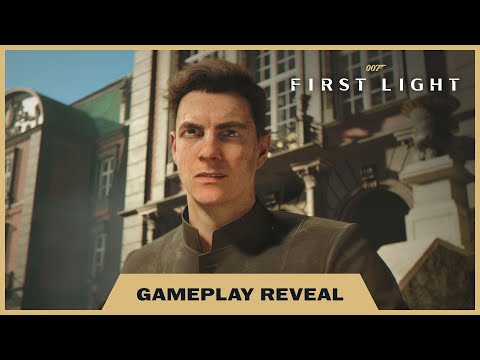 Cast and CharactersPatrick Gibson plays a 26-year-old James Bond in 007 First Light, with Lennie James as his mentor John Greenway, Priyanga Burford as M, Alastair Mackenzie as Q, Kiera Lester as Moneypenny, Gemma Chan as Selina Tan and Lenny Kravitz as the Pirate King Bawma.
See also
-
-
-
 ControlsIn 007 First Light the Q-Lens is held on L1 (PS5), LB (Xbox) or Alt (PC keyboard), gadgets sit on four buttons fired while holding it, R2 drags or tackles enemies, and the Touchpad opens the collectibles menu. Every button can be remapped. IO Interactive has published no full control list.
-
-
Difficulty Settings007 First Light has three difficulty presets from the start, which guides call Novice, Intended and Purist (IOI's own posts say Easy, Normal and Hard), plus the 00 difficulty added on Oct 1, 2026 for players who finish the campaign. Difficulty does not affect trophies or achievements.
-